
Best Apps for Students to Study Smarter (2026)
VoxLibro Admin
· 6 min read

Every student's phone fills up with apps that promise to fix their grades. Most of them go unused after a week. This guide skips the noise and focuses on the best apps for students that actually earn a spot on your home screen. It also shows you how to combine a few of them into one simple system.
Why a Few Good Apps Beat a Dozen Random Ones
More apps do not mean more productivity. In fact, research on study habits suggests the opposite. Students who stick with three or four consistent tools tend to outperform those who constantly switch between new ones. As a result, the goal here is not to install every app you can find. Instead, it is to pick one tool per task. For example, one app for notes, one for memorization, one for scheduling, and one for focus or listening is usually enough.
Best Apps for Students Who Take Notes
Notion

Notion is a flexible workspace built for notes, to-do lists, and course organization. You can build a database for every class. You can also link notes to specific lectures, or embed PDFs directly inside a page. Because of this, it is one of the more popular productivity apps for students who juggle several courses at once.
Good for: Students who want everything in one organized place.
Free version: Yes, and it covers most student needs without upgrading.
For students who prefer listening over reading, pasting a Notion page into a text-to-speech app for Android turns written notes into audio in seconds.
Best Apps for Students Who Need to Memorize Fast
Anki
Anki uses spaced repetition, a technique backed by learning research. It shows you flashcards at increasing intervals based on how well you know them. Because of this, it works especially well for subjects that need heavy memorization, such as anatomy, vocabulary, or historical dates.
Good for: Language learning, medical terms, and any subject with a lot to memorize.
Free version: Yes, fully free on desktop and Android.
Quizlet

Quizlet takes a lighter approach than Anki. It is easier to set up, and it works well for quick review sessions, like the night before a quiz. It also supports shared flashcard sets and simple study games. As a result, it is one of the more social study apps for students who like reviewing in groups.
Good for: Fast review and group study.
Free version: Yes, though some newer AI features sit behind a paid tier.
Best Focus Apps for Students Who Get Distracted
Forest
Forest gamifies focus time. You plant a virtual tree at the start of a study session, and it grows as long as you stay off your phone. Leave the app too soon, however, and the tree dies. It sounds simple, but the visual stakes make it surprisingly effective. According to Cal Newport's research on deep work, short, undistracted stretches of focus consistently outperform longer sessions broken up by phone checks. This is exactly the habit that focus apps for students like Forest are designed to build.
Good for: Students who get pulled into their phone mid-study session.
Free version: Yes, on Android.
Best App for Scheduling
Google Calendar
Google Calendar is not flashy, but it is reliable and free. Use it to block out study sessions the same way you would block out a class. As a result, time-blocking makes study time feel like a real commitment instead of something you'll "get to later." It's a simple habit, but one of the more effective free student apps for staying on top of deadlines.
Good for: Planning deadlines, exams, and recurring study blocks.
Free version: Yes, completely free.
Best Apps for Students Who Learn by Listening
Not every study method has to involve staring at a screen. A text-to-speech app lets you listen to notes, textbook excerpts, or class summaries instead of reading them line by line. This works well during a commute, a workout, or any time your eyes need a break. In fact, this is one of the simplest apps to study smarter without changing your entire routine.
VoxLibro, for example, is built with students in mind. It supports offline listening, so a weak signal will not interrupt a study session. You can also adjust speech speed, preview voices, and use clipboard detection to convert copied notes instantly. If you want a full routine for this approach, see how to listen to study notes instead of reading them.
Good for: Reviewing notes hands-free, especially during downtime.
Free version: Yes.
Comparing the Best Free Text-to-Speech Options
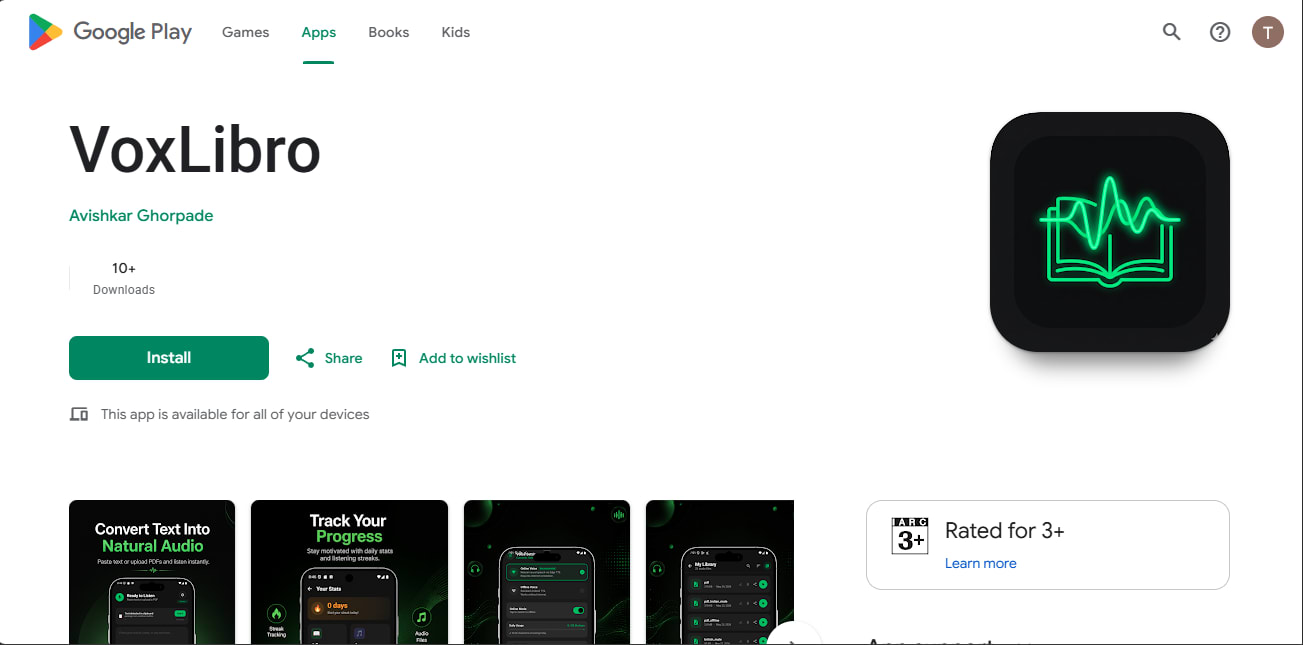
If you want to see how VoxLibro stacks up against other listening apps before picking one, this breakdown of the best free text-to-speech apps for Android compares several popular options side by side.
How to Build Your Own Best Apps for Students Stack
You do not need every app on this list. Instead, pick one from each category:
- One note-taking app (Notion)
- One memorization app (Anki or Quizlet)
- One focus app (Forest)
- One scheduling app (Google Calendar)
- One listening app (VoxLibro)
That's five apps total, and each one does a single clear job. As a result, stick with this set for a full semester before changing anything, since consistency matters more than finding a "perfect" app.
Frequently Asked Questions
What are the best apps for students in 2026?
A small, well-chosen set works best. Popular picks include Anki for flashcards, Notion for notes, Forest for focus, Google Calendar for scheduling, and a text-to-speech app like VoxLibro for listening to notes.
Do I need to pay for good study apps?
No. Most of the apps in this guide have solid free versions. Anki, Google Calendar, and VoxLibro are free to use. Notion and Forest also offer free tiers that cover most student needs.
How many study apps should a student actually use?
Fewer than you'd think. Most students only need three or four apps: one for notes, one for memorization, one for scheduling, and one for focus or listening.
Conclusion
The best apps for students are not the ones with the most features. They are the ones you actually keep using. Start small. Pick one app for notes, one for memorization, one for focus, and one for listening. As a result, give the set a full semester before adding anything new, since a simple system used consistently will do more for your grades than a phone full of apps you open once and forget.